How to Register and Login on 883V Game?Complete Guide for Beginners
Installing 883V Game is only the first step. Before you can explore the app, you’ll need to Register and login successfully. While the registration process is fairly simple, many first-time users still run into small problems because they rush through the setup or enter incorrect information.
We created this guide after reviewing how the registration system works and identifying the mistakes beginners commonly make. Instead of simply telling you which button to press, we’ll explain why each step matters, how to avoid common issues, and what you should check before creating your account. If you’re using 883V Game for the first time, this guide will help you get started with confidence.
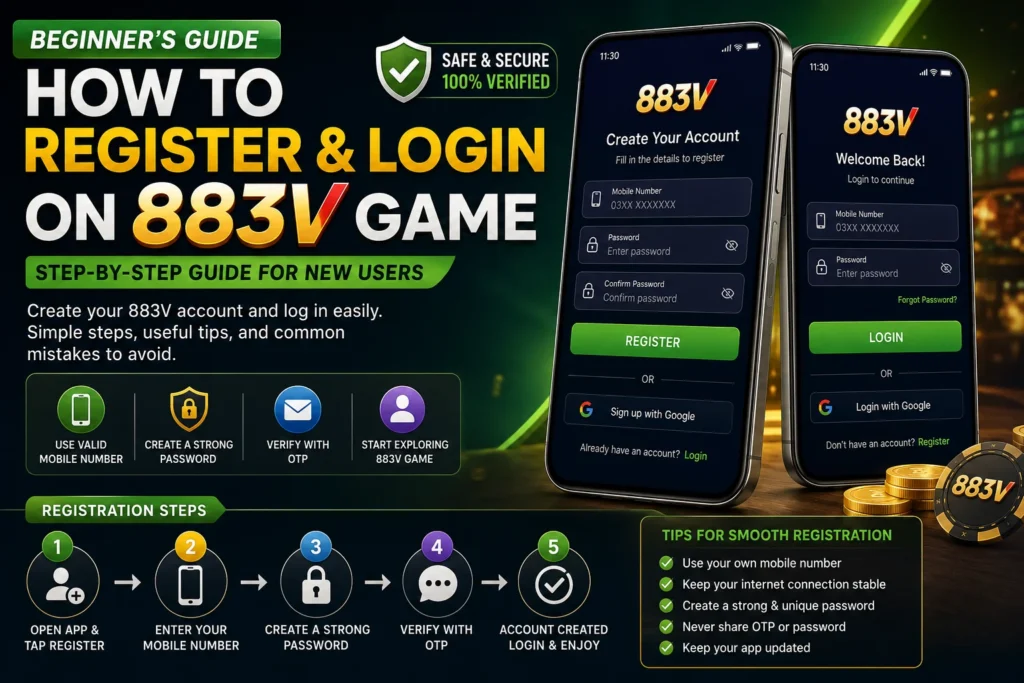
Before You Create Your 883V Account
Before opening the registration page, spend a minute preparing your phone. This small step can save time later and reduce the chances of verification or login problems.
First, make sure you’ve Downloaded and installed the latest version of the 883V APK. Older versions may still open, but they can sometimes behave differently or miss newer improvements. It’s also worth checking that your internet connection is stable because interruptions during registration may prevent the process from completing correctly.
Another point many users overlook is the mobile number they use for registration. Choose a number that you use regularly and can access if verification is required. Using temporary or inactive numbers can make account recovery much more difficult later.
For the complete process user can read our Download and installation Guide.
Step-by-Step Guide to Register on 883V Game
Step 1 – Open the Registration Page
Launch 883V App and look for the Register or Sign Up button on the welcome screen. The registration page usually appears immediately, making it easy for new users to create an account without navigating through multiple menus.
Take a moment to review the information requested before entering your details. Understanding what the app asks for helps you complete the process more accurately.
Step 2 – Enter Your Information Carefully
The registration form usually asks for basic details such as your mobile number and a password. Although it may be tempting to complete everything quickly, this is where many users make avoidable mistakes.
Check your mobile number before moving to the next step. A single incorrect digit can prevent verification messages from reaching your phone. If the app later requires identity confirmation or password recovery, having the correct number already linked to your account can save a lot of frustration.
Step 3 – Create a Password You Can Trust
Your password protects access to your account, so don’t treat it as an afterthought. Many people still use birthdays, simple number sequences, or repeated digits because they’re easy to remember. Unfortunately, they’re also easy to guess.
A better approach is to combine letters, numbers, and symbols into a password that isn’t used on your other accounts. You don’t need something impossible to remember just something that isn’t obvious. Taking an extra minute here gives your account much better protection.
Step 4 – Complete Verification
Depending on the version of 883V Game you’re using, the app may ask you to verify your registration through an OTP or another confirmation step. If you don’t receive the verification message immediately, avoid requesting multiple codes within a short period. Waiting a minute before trying again often resolves the issue.
If the verification still doesn’t arrive, first check whether your mobile number was entered correctly and confirm that your network connection is working properly.
Step 5 – Review Everything Before Submitting
One habit we’ve found useful is reviewing the registration form before tapping the final button. It only takes a few seconds, but it helps catch typing mistakes that are easy to miss when you’re in a hurry.
Many account problems begin with something as simple as an incorrect phone number or password. Spending a little extra time now can prevent unnecessary trouble later.
Your Account Has Been Created What’s Next?
Once registration is complete, you’ll usually be taken directly to the login screen or the app’s main dashboard. Before exploring the available features, it’s worth checking your profile to make sure your information has been saved correctly.
If the app offers account settings or additional security options, take a few minutes to review them. Setting everything up properly from the beginning makes managing your account much easier in the future.
How to Login to 883V Game?
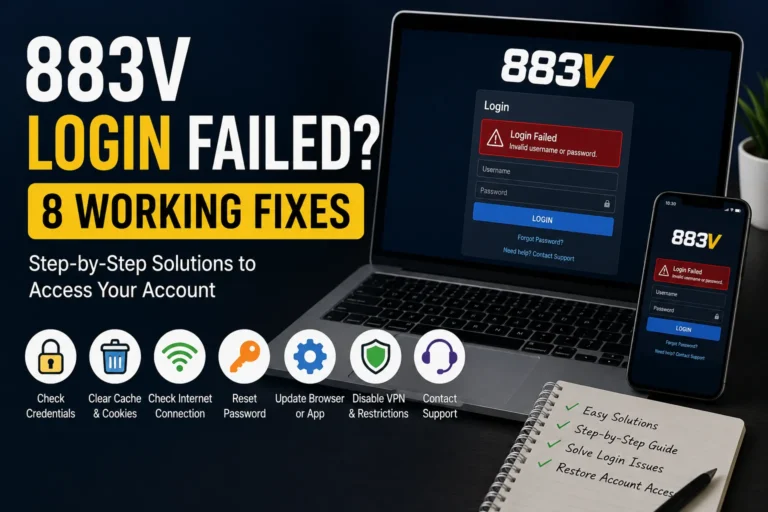
Logging in is much faster than creating an account, but it’s still important to do it correctly. Open the app, tap Login, and enter the same mobile number and password you used during registration.
If your details are correct, you’ll be taken to the main dashboard within a few moments. Should the login fail, avoid repeatedly entering different passwords. Instead, double-check your information first, as repeated failed attempts may temporarily restrict access on some platforms.
Forgot Your Password? Here’s What to Do
Forgetting a password is more common than most people think, especially if you don’t use the app every day. The good news is that you usually don’t need to create a new account. Most versions include a Forgot Password option that helps you recover access using your registered mobile number.
Start by selecting Forgot Password on the login screen. Follow the on-screen instructions and complete the verification process if requested. Once your identity is confirmed, create a new password that is both secure and easy for you to remember. If you don’t receive a verification code, check that your mobile number is correct and wait a few minutes before requesting another one.
Common Login Problems and How to Fix Them
Most login issues have simple solutions. Before assuming there’s a problem with the app, check the basics first.
Incorrect Mobile Number or Password
This is the most common reason users can’t access their accounts. Make sure you’re entering the same mobile number used during registration and check for typing mistakes. If you’ve recently changed your password, use the updated one instead of the old password.
OTP Not Received
Verification messages can sometimes take longer to arrive because of network delays. Wait a few minutes before requesting another code. If the issue continues, confirm that your SIM card is active and that your phone has a stable mobile signal or internet connection.
App Keeps Returning to the Login Screen
If the app doesn’t log you in even after entering the correct details, restart your phone and try again. You should also check whether you’re using the latest version of the the app as older versions may occasionally have compatibility issues.
Account Access Problems
If you still can’t access your account after trying the above steps, avoid creating multiple new accounts. Instead, contact the platform’s customer support, explain the issue clearly, and provide only the information required to verify your account.
Simple Tips to Keep Your 883V Account Secure
Creating an account is only the beginning. Protecting it is just as important.
Use a password that is different from the ones you use for other apps or websites. If one account is compromised, using unique passwords helps keep your other accounts safe. It’s also a good idea to change your password from time to time, especially if you think someone else may know it.
Another habit worth following is downloading updates only from trusted sources. New versions often include security improvements and bug fixes that help the app run more smoothly. Avoid installing APK files sent through unknown links or unofficial groups, as you can’t always verify whether they have been modified.
Finally, never share your login details with anyone not even someone claiming they can help you unlock rewards or solve account issues. Genuine support teams rarely ask for your password.
Mistakes New Users Often Make
After reviewing many Android apps, we’ve noticed that beginners tend to make the same mistakes during registration and login. Fortunately, they’re easy to avoid.
One common mistake is rushing through the registration form without checking the entered information. A small typing error in your mobile number can make verification difficult later. Another mistake is using a weak password simply because it’s easy to remember. Spending a few extra seconds creating a stronger password can make a big difference.
Some users also ignore app updates after installing the APK. Keeping the Game updated helps improve stability and ensures you’re using the latest available features. Since updates may also change payment methods, interface elements, or security improvements, checking for new versions regularly is a good habit.
Frequently Asked Questions
The platform’s account policy may vary. Before creating multiple accounts, read the latest terms and conditions to understand what is allowed.
No. If you already have an account, simply log in using your existing mobile number and password.
This can happen because of network delays, an incorrect mobile number, or temporary service issues. Wait a few minutes and check that your phone can receive SMS messages before requesting another code.
Saving your login information on your own device can be convenient, but avoid doing this on shared or public phones. If someone else uses the same device, it’s safer to log out after each session.
This depends on the app’s current account management policy. If the option is available, follow the instructions in your account settings or contact customer support for assistance.
Conclusion
Registering and logging in to 883V App is straightforward when you take your time and follow the correct steps. Entering accurate information, using a strong password, and completing the verification process carefully will help you avoid many of the common problems that new users experience.
More importantly, treat your account like any other online account. Keep your login details private, install updates from trusted sources, and review new app changes as they become available. These simple habits will help you enjoy a smoother and more secure experience while using 883V Game.